How to Measure VSWR With a Vector Network Analyzer?

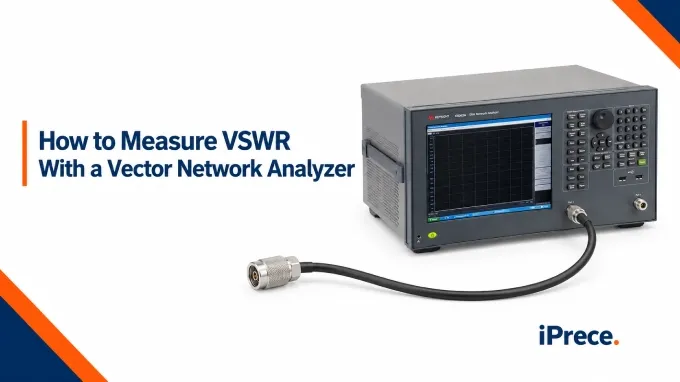
To measure VSWR with a VNA, configure an S11 sweep over the DUT’s operating frequency range, calibrate the measurement path at the DUT connection, and connect the DUT with any remaining port correctly terminated. Display S11 in SWR or VSWR format, locate the maximum value across the required band, and compare it with the applicable specification. The procedure below applies to coaxial RF and microwave devices, using cable assemblies as the main practical example.
Step 1: Prepare the VSWR Test Equipment and Define the Measurement
A typical VSWR test setup requires:
A VNA capable of one-port reflection measurements across the required frequency range
A stable measurement cable and any necessary adapters, all rated for the full test frequency
A compatible mechanical calibration kit or electronic calibration module
A suitable matched termination when measuring a cable assembly or another two-port DUT
Connector inspection and cleaning supplies
The appropriate torque wrench for the connector interface
For a procedure using a spectrum analyzer and tracking generator instead, see our guide to return loss measurement.
Before configuring the VNA, define what the test must measure:
Record the DUT, port or measurement direction, operating band, reference impedance, and maximum permitted VSWR.
Determine whether the DUT is a one-port device, an individual cable assembly, or an installed cable-and-load system.
Allow the VNA, calibration module, and test accessories to reach the manufacturer’s recommended operating condition.
Confirm that every connector, adapter, cable, calibration standard, and termination supports the required impedance and frequency range.
Inspect mating surfaces and center contacts for contamination, wear, or damage before connecting them.
Confirm that no external RF signal or DC voltage can enter the VNA test port unless the setup includes appropriate protection.
Distinguish the measurement lead from a cable assembly being tested. Calibration should correct the measurement path up to the DUT connection while leaving the DUT cable’s response included.
Step 2: Configure the VNA Sweep and S11 Measurement
Configure the measurement channel before calibration so the calibration data matches the intended frequency sweep and stimulus conditions.
Choose settings for the DUT and required measurement accuracy; there is no universal point count, source power, or IF bandwidth.
Changing the frequency range can move the sweep outside the calibrated span. Changing the point count does not automatically invalidate the calibration; many VNAs reuse the correction data through interpolation, although the supported behavior and resulting accuracy depend on the instrument. After changing frequency range, point count, or source power, check the correction status and recalibrate when required.
Step 3: Calibrate at the DUT Reference Plane and Verify the Result
With the sweep configured, calibrate at the interface where the DUT will connect.
Select the calibration method and kit. For S11 at Port 1, choose full one-port SOL/OSL calibration and the correct kit definition, connector interface, reference impedance, and frequency range.
Connect the standards at the DUT interface. Leave the measurement cable and upstream adapters in place. Connect the open, short, and load in the order requested by the VNA, using the specified mating torque.
Acquire and apply the calibration. Complete each acquisition, finish the calibration, and confirm that correction is active on the intended channel and port.
Preserve the calibrated path. Avoid disturbing upstream connections or substantially moving the measurement cable before testing.
.webp)
If using an electronic calibration module, follow its readiness, connection, and unused-port termination requirements instead of the manual standard sequence.
One-port SOL/OSL calibration requires no thru. If using the full two-port measurement approach described in Step 4, calibrate both DUT interfaces with the appropriate full two-port method.
Check the Calibration Before Connecting the DUT
Before accepting any DUT measurement:
Measure an independent characterized verification device, or use the supported electronic-calibration confidence check.
Compare the measured response with the known data and applicable tolerance across the test band.
If verification fails, inspect the connections, kit definition, and measurement settings; correct the problem and repeat calibration and verification.
Remeasuring the same standards used for calibration primarily checks repeatability. It does not independently establish accuracy.
Port extension is not a substitute for calibration at the DUT interface or validated de-embedding. It primarily compensates electrical delay and, where supported, estimated loss; it does not correct fixture mismatch. Use calibration at the DUT interface or validated de-embedding when that mismatch materially affects the result.
Step 4: Connect the DUT and Terminate Any Remaining Ports
Remove the calibration standard or electronic calibration module without disturbing the upstream measurement cable and adapters. Before connecting the DUT:
Inspect the mating interfaces for contamination, wear, bent contacts, or mechanical damage.
Align the connectors before engagement and avoid forcing incompatible interfaces.
For threaded connectors, rotate the coupling nut rather than the connector body or cable.
Apply the specified mating torque while holding the connector body stationary when required.
Support the DUT and attached cables so their weight does not load the test-port connector.
Preserve the intended cable routing, bend condition, and environmental conditions throughout the test.
Connect the one-port DUT at the calibrated interface; no additional far-end termination is required.
Connecting an RF Cable Assembly or Other Two-Port DUT
.webp)
Choose the connection method that matches the calibration:
One-port measurement: Connect the DUT input to the calibrated port and terminate the opposite end with a precision load matching the reference impedance. Select a load with sufficiently low reflection across the test band for the required measurement accuracy; its residual mismatch contributes to the result.
Full two-port measurement: Connect the DUT between the two calibrated interfaces and evaluate S11 and S22 as required. Do not assume that both ends have identical VSWR.
For one-port testing from both directions, reverse the DUT and move the termination to the opposite end. Maintain the appropriate calibrated interface for each connection.
Do not leave the far end open or shorted for matched-load VSWR testing, or assume an uncalibrated second VNA port provides an ideal termination.
When qualifying custom RF cable assemblies, keep the termination, connector orientation, routing, and bend condition consistent between tests.
If the intended DUT is an installed cable-and-antenna system, leave the antenna connected. The measurement then includes everything beyond the calibration plane.
Step 5: Measure S11 and Display the Trace as VSWR
After connecting the DUT, confirm that the selected trace measures S11 and that the correct calibration remains active. Then perform the VSWR measurement:
Confirm S11 and correction. Select the intended S11 trace and verify that its calibration is active.
Select SWR or VSWR format. Display the result against frequency.
Run the sweep. Allow any configured averaging to complete.
Adjust the scale. Keep relevant peaks and the acceptance limit visible.
Add markers. Mark required frequencies and search for the maximum within the specified band.
Inspect without smoothing. Confirm that narrow peaks remain visible before recording results.
The VNA derives VSWR from the magnitude of the measured S11 reflection response.
Calculating VSWR From Exported S11
If the VNA or exported data provides the linear magnitude of S11, calculate VSWR with:
If S11 is exported as log magnitude in decibels, first convert it to linear magnitude:
The VSWR equation requires the linear magnitude of S11. Do not insert a negative dB value directly into the equation or use only the real component of complex S11.
For example, an S11 log magnitude of −20 dB gives:
The corresponding VSWR is approximately 1.22:1.
Step 6: Interpret the VSWR Trace Against the Specification
Evaluate compliance across every specified operating band:
Apply the correct limits. Compare the trace with the DUT specification, including frequency-dependent limits, and record each band’s maximum VSWR and its frequency.
Check unresolved features. Inspect band edges and narrow peaks. Increase frequency resolution where necessary and confirm that calibration correction remains valid.
Assess borderline readings. Apply the test plan’s acceptance rule with measurement uncertainty accounted for; a reading just below the limit may not establish a pass.
Recognize measurement limitations. Exceptionally low reflection may approach the setup’s residual directivity or stability limits, making fine differences unreliable.
Example: A DUT has a maximum permitted VSWR of 1.5:1 from 2.40 to 2.50 GHz. The center-frequency marker at 2.45 GHz reads 1.28:1, but maximum search finds a peak of 1.62:1 at 2.49 GHz. The DUT fails the requirement because the limit applies across the entire band. The center-frequency reading alone cannot establish compliance.
.webp)
For background on the different formats used to report reflected energy, see our guide to VSWR and return loss.
Cable loss between the reference plane and a downstream mismatch attenuates the returning reflection and can make input VSWR appear more favorable. Low input VSWR alone therefore establishes neither low cable loss nor a well-matched downstream load.
Step 7: Confirm Repeatability and Save the Measurement
Repeat the sweep with the setup unchanged. Where required by the test plan, also check repeatability after a controlled DUT reconnection. If results change unexpectedly, repeat calibration verification before accepting the data.
If the result changes unexpectedly, reconnect the known verification device and check the calibration before attributing the variation to the DUT.
Measurement files: Save the trace image with markers and limits, plus numerical data. Export .s1p for a one-port dataset or .s2p when the full two-port dataset has been measured.
DUT and setup: Record part and serial numbers, tested direction, reference impedance, reference plane, termination, routing, bend condition, and relevant environmental conditions.
Instrument and calibration: Record the VNA, sweep range, point count, source power, IF bandwidth, averaging, calibration method and kit, and verification result.
Acceptance result: Report maximum VSWR and its frequency, the applicable limit, and the decision under the test plan’s acceptance rule.
Common VSWR Measurement Errors
If the cause remains unclear, verify the calibrated setup with a known device before attributing the result to the DUT.
FAQ
Discussion (0)
Be the first to comment.
.webp)
.webp)