What Is the Recommended Torque for SMA Connectors?

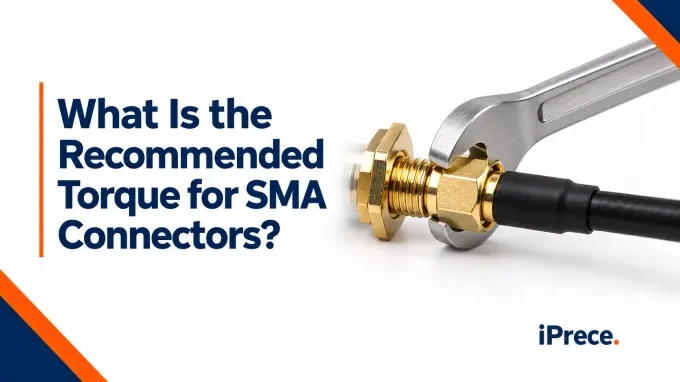
The recommended SMA connector torque depends on the connector material and the manufacturer’s specification. As a general reference, many brass SMA connectors are tightened to about 3–5 in-lb (0.34–0.56 N·m), while stainless-steel SMA connectors commonly use about 7–10 in-lb (0.79–1.13 N·m). However, these figures should not be treated as universal values. The published specification for the specific connector, cable assembly, or RF port should always take priority.
Why the SMA Connector Torque Specification Varies
Connectors with the same nominal interface may require different torque because of their materials, coupling-nut design, wall thickness, and intended application.
Typical SMA Connector Mating Torque Differs by Material
Connector material is one of the main reasons published SMA mating-torque values differ. Stainless-steel SMA connectors are mechanically robust while thin-wall brass connectors are vulnerable to excessive torque, which can deform the connector and damage the cable termination.
The following values are useful as general reference points:
The important word here is mating. These values describe the torque applied to the male connector’s coupling nut when mating an SMA plug to a compatible jack. They do not automatically apply to a bulkhead mounting nut, rear connector nut, cable clamp, panel fastener, or other hardware used in an SMA connector assembly. Those components may have separate tightening specifications.
Also note the units carefully: 8 in-lb is approximately 0.9 N·m. It is not 8 ft-lb. Applying 8 ft-lb would impose 12 times the intended torque and would be likely to damage the connector or the equipment port.
Manufacturer, Part, and Equipment-Port Requirements Matter
Use the most specific available source when selecting an SMA connector torque value:
Instrument or equipment-port manual
Exact cable-assembly or connector drawing
Manufacturer’s series-level guidance
General industry values when no specific requirement is available
A device manufacturer may specify a lower torque than a general connector guide because the complete interface includes components that require additional mechanical protection.
The practical rule is therefore simple: identify the connector or equipment part number first, check its published mating specification, and use the specified torque wrench whenever one is given.
Mating Torque Is Not Bulkhead Mounting Torque
Mating torque is applied to the male connector’s coupling nut to seat the two RF interfaces. It should not be confused with the torque used on a bulkhead jam nut, panel-mount hardware, backshell, or other cable-termination components.
This distinction is important when a document refers broadly to SMA connector installation torque. A bulkhead mounting nut may have a different specification based on the connector body, washer arrangement, and panel construction. Backshells, crimp sleeves, and mounting screws in coax systems also follow their own RF cables and assemblies requirements. To simplify these complex specifications, you can utilize our custom RF cable assemblies configuration tool to design exactly what your system needs.
How Torque Affects SMA Connector RF Performance and Reliability
.webp)
Tightening the coupling nut generates the axial force needed to seat the connector interfaces consistently. Correct torque helps maintain stable contact at the mating planes and prevents the connection from loosening during normal handling.
Under-Torquing
An under-torqued connector may not seat fully or may loosen when the cable is moved. This can make the interface impedance less consistent, resulting in higher VSWR, lower return loss, and measurement changes between repeated connections.
Correct Torque
Applying the specified torque creates more consistent mechanical contact each time the connector is mated. This improves the repeatability of VSWR and return loss measurements and reduces uncertainty caused by the connection itself.
Over-Torquing
Excessive torque can deform mating surfaces, damage threads, compress dielectric materials, or wear the center contacts. These changes may create a permanent impedance discontinuity and reduce SMA connector reliability, even if the connection still appears mechanically secure.Repeated over-torquing can accelerate wear across SMA connector mating cycles, reducing the connector’s useful service life.
Improper mating can also affect RF cable assembly insertion loss, but there is no universal dB penalty for under- or over-torquing. The result depends on frequency, connector condition, cable construction, and the severity of the damage.
For vibration-prone installations, microwave connector vibration resistance depends on more than tightening force. Use the specified mating torque together with the manufacturer-approved retention or locking method.
How Does Torque Affect SMA-to-3.5 mm or 2.92 mm Mating?
SMA, 3.5 mm, and 2.92 mm connectors are mechanically intermateable in many applications, but they are not internally identical. SMA connectors commonly use a solid PTFE dielectric, whereas precision 3.5 mm and 2.92 mm interfaces use air-dielectric construction and tighter mechanical tolerances.
That distinction becomes especially important with coaxial cable connectors for high-bandwidth signals and precision microwave measurements. An out-of-spec, worn, or damaged SMA connector can damage the more delicate 3.5 mm or 2.92 mm interface. Small dimensional differences at the mating plane can also introduce an electrical discontinuity that becomes more significant as operating frequency increases.
How to Use an SMA Connector Torque Wrench Correctly
Use a calibrated preset or adjustable SMA connector torque wrench with the correct setting and head size. A 5/16-inch or 8 mm opening is common, but always check the coupling-nut flats. A break-over wrench is preferable because it limits further loading once the set torque is reached.
Confirm the connector type and specified torque.
Inspect the threads, center contact, and mating surfaces.
Remove contamination using an approved connector-cleaning method.
Align the connectors axially without forcing them together.
Turn only the coupling nut until finger-tight.
Hold the connector body stationary, using a backup wrench if required.
Place the torque wrench squarely on the coupling nut.
Apply smooth force at the designated grip area.
Stop at the first click or break-over. Do not continue pulling or trigger the wrench repeatedly.
Avoid turning the cable or connector body, using pliers, torquing dirty threads, guessing the connector material, or applying side load. Do not use a dropped or potentially uncalibrated wrench until it has been checked. Follow the wrench manufacturer’s calibration guidance and the facility’s QA procedure rather than assuming a fixed annual interval.
FAQ
Discussion (0)
Be the first to comment.
.webp)